









StarTech.com DKT31CHPD3 USB-C Multiport Adapter Mini Dock - 4K 60Hz HDMI 2.0100W PD Pass-through - 3-Port USB Hub - 10" Cable

Business volume discounts
Technical guidance
Preparation & staging
QC · ON · AB · BC
Product Features
Technical Overview
This multiport adapter supports HDMI 2.0b output, enabling crisp 4K resolution at 60Hz refresh rates for ultra-high-definition monitors and displays. It leverages DisplayPort 1.4 Alt-Mode technology for compatibility with Intel 11th Gen and newer host devices, while maintaining support for 4K 30Hz on DP 1.2 Alt-Mode systems.
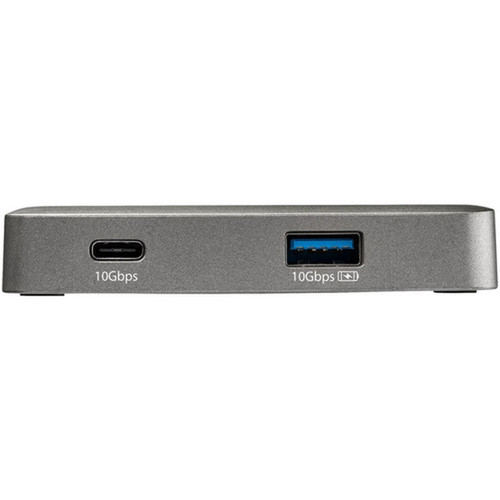
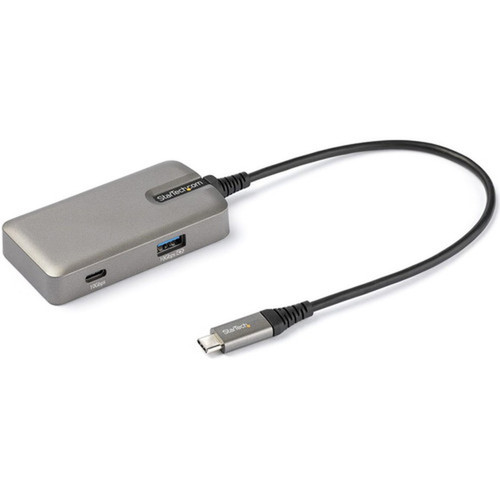
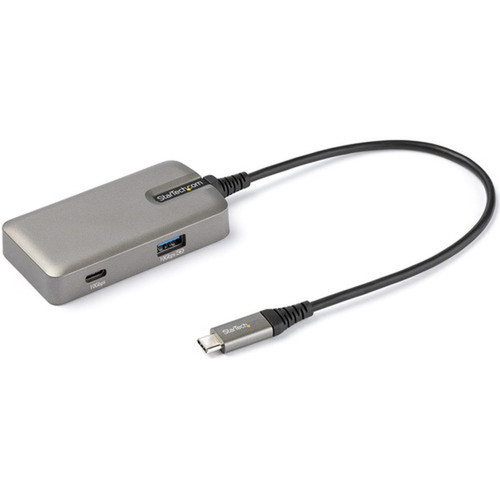
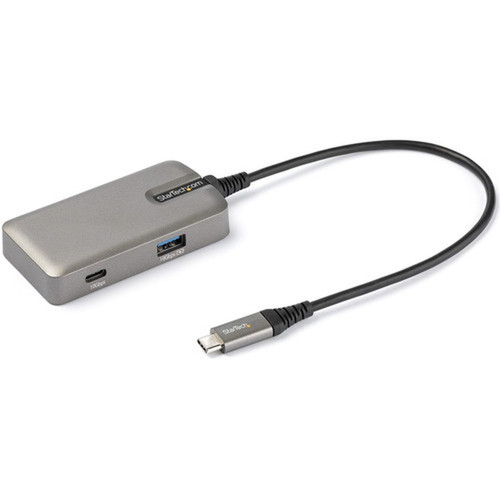
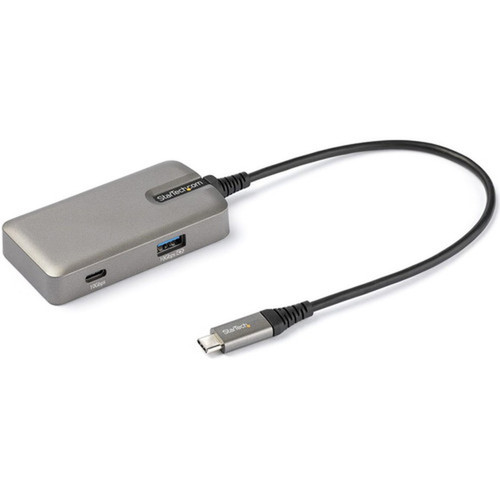
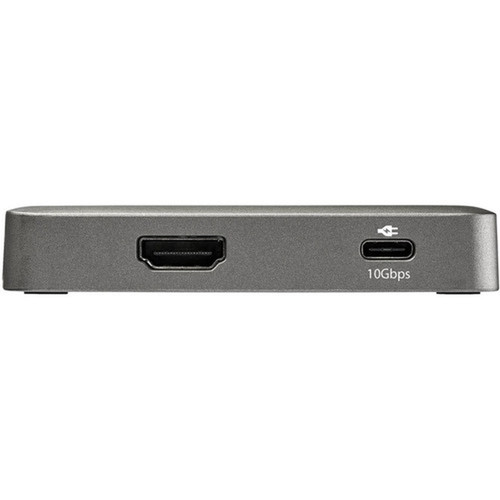
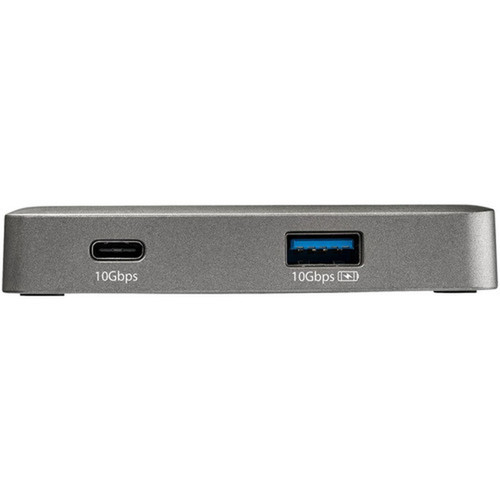
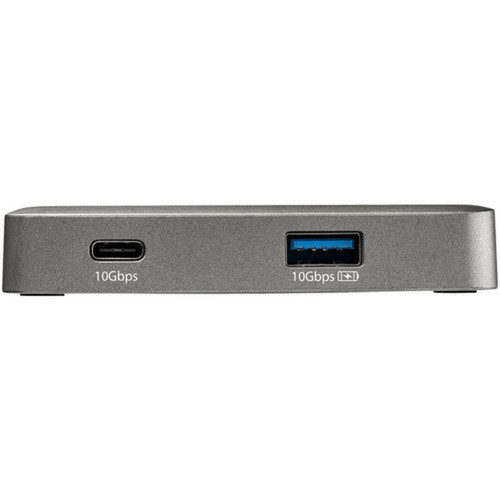
The connectivity suite includes three USB 3.1 Gen 2 ports operating at 10 Gbps: two USB-C ports (one supporting combined data and 100W PD 3.0 pass-through) and one USB-A port with BC 1.2 charging capability delivering 7.5W. The integrated PS186 chip ensures broad compatibility with iPad Pro, iPad Mini, and various USB-C host devices.
Relevant factors for this section include Connectivity Technology, Number of Displays Supported, Supported Resolutions, Host Interface. When those points are considered together, they give buyers a clearer picture of how the product is equipped, how it fits into deployment, and what kind of day-to-day role it is meant to support.
Key Product Advantages
This mini docking station stands out with its combination of high-performance video output, robust power delivery, and extensive device compatibility in a compact form factor. The 100W PD pass-through capability allows users to charge their host device while simultaneously connecting peripherals and external displays, eliminating the need for separate power adapters in many scenarios.
Enhanced Video Performance
Delivers 4K resolution at 60Hz with HDR10 support for vibrant, detailed visuals on compatible displays. Supports ultra-wide monitors up to 3440×1440 resolution at 60Hz refresh rates.
- 4K 60Hz HDMI 2.0b output
- HDR10 video support
- Ultra-wide monitor compatibility
Comprehensive Software Suite
Includes StarTech.com Connectivity Tools with USB Event Monitoring for security administration and Windows Layout Utility to maintain application window positions when reconnecting displays.
- USB port usage logging
- Malicious device identification
- Window position restoration
Deployment / Use Cases
The DKT31CHPD3 adapter serves as an ideal solution for professionals requiring expanded connectivity from their USB-C laptops during presentations, video conferences, or multi-display workstation setups. Its portable design and extended cable make it particularly valuable for frequent travelers who need reliable docking capabilities in hotel rooms, client offices, or co-working spaces.
Educational institutions and corporate IT departments benefit from the adapter's wide compatibility across device brands and operating systems. The included management software provides administrative tools for monitoring USB device usage and maintaining user productivity through consistent display layouts when moving between workstations.
Mobile Professional Setup
Connect your USB-C laptop to external monitors, peripherals, and power with a single compact adapter during business travel or remote work sessions.
Classroom & Training Environments
Support diverse student devices including Chromebooks, iPads, and Windows laptops with consistent display output and charging capabilities.
Physical Profile
Measuring just 3.50 inches wide and 0.60 inches tall, the Space Gray adapter features a sleek, minimalist design that complements modern computing devices. The compact footprint and lightweight construction at 1.80 ounces make it easy to transport in laptop bags or briefcases without adding noticeable bulk.
The physical profile is practical for deployment planning because the dimensions and weight are clearly defined: 0.60" (15.24 mm), 3.50" (88.90 mm), 1.80 oz (51.03 g). This helps confirm rack, shelf, desk, or cabinet fit before installation.
- Width
- 3.50" (88.90 mm)
- Height
- 0.60" (15.24 mm)
- Weight
- 1.80 oz (51.03 g)
What's in the Box
The package includes the complete docking station solution ready for immediate deployment.
Package contents include Docking Station Quick-Start Guide, Docking Station. These included items support setup, installation, and immediate deployment without needing to source the core bundled accessories separately.
Highlights
- 4K 60Hz HDMI 2.0b video output with HDR10 support
- 100W Power Delivery 3.0 pass-through charging capability
- Three USB 3.1 Gen 2 ports (2× USB-C, 1× USB-A) at 10 Gbps
- 10-inch attached cable reduces port strain on host devices
- Compatible with USB-C laptops, MacBooks (Intel & M1), Surface, and tablets
- Supports Windows, macOS, ChromeOS, iPadOS, Android, and Linux
- Includes Connectivity Tools with USB Event Monitoring and Windows Layout Utility
- Compact portable design in Space Gray finish
- DisplayPort 1.4 Alt-Mode for 4K 60Hz on compatible hosts
- 3-year limited warranty with RoHS, REACH, and WEEE compliance
Specifications
| Specifications | |
|---|---|
| Manufacturer | StarTech.com |
| Manufacturer Part Number | DKT31CHPD3 |
| Brand Name | StarTech.com |
| Product Name | Docking Station |
| Product Type | Docking Station |
| Technical Information | |
| Connectivity Technology | Wired |
| Number of Displays Supported | 1 |
| Supported Resolutions | 4096 x 2160,3440 x 1440,3840 x 2160 |
| Screen Mode Supported | 4K |
| Device Supported | Monitor,Notebook,Tablet |
| Interfaces/Ports | |
| Host Interface | USB 3.1 (Gen 1) Type C |
| Total Number of USB Ports | 3 |
| Number of USB Type-C Ports | 2 |
| USB Type-C | Yes |
| USB Type-C Detail | USB 3.1 Gen 2 USB Type-C (24 pin, 10 Gbps), USB 3.1 Gen 2 USB Type-C (Power Delivery + Data, 24 Pin, 10 Gbps), USB 3.1 Gen 2 USB Type-C (24 pin, 10 Gbps) |
| Number of USB Type-A Ports | 1 |
| USB Type-A | Yes |
| Number of HDMI Ports | 1 |
| HDMI | Yes |
| Software | |
| Operating System Supported | Mac OS X 10.13 High Sierra,Mac OS X 10.14 Mojave,Mac OS X 10.15 Catalina,Mac OS X 11.0 Big Sur,Mac OS X 12.0 Monterey,Mac OS X 13.0 Ventura,Windows 8,Windows 10,Windows 11,ChromeOS,iPadOS,Android,Linux |
| Power Description | |
| Maximum Power Supply Wattage | 100 W |
| Physical Characteristics | |
| Product Color | Space Gray |
| Form Factor | Portable |
| Height | 0.60" (15.24 mm) |
| Width | 3.50" (88.90 mm) |
| Weight (Approximate) | 1.80 oz (51.03 g) |
| Miscellaneous | |
| Package Contents | Docking Station Quick-Start Guide |
| Compatibility | Mini dock is compatible with USB-C laptops, Ultrabooks & Chromebooks, plus Thunderbolt 3/4 laptops from HP, Dell, Lenovo, MacBooks (Intel processor and M1 chip), and Surface; works w/ Windows, macOS, iPadOS, Android, Linux & Chrome OS |
| Environmentally Friendly | Yes |
| Environmental Certification | EU RoHS |
| Environmental Compliance | Restriction of Hazardous Substances (RoHS) 2,Registration, Evaluation, Authorization and Restriction of Chemicals (REACH),Waste Electrical and Electronic Equipment Directive (WEEE) |
| Country of Origin | Taiwan |
| Warranty | |
| Limited Warranty | 3 Year |
User Manual
FAQ
What video resolutions does this USB-C adapter support?
The adapter supports 4K resolution at 4096×2160 and 3840×2160, along with ultra-wide 3440×1440 resolution. All supported resolutions deliver content at 60Hz refresh rates when connected to compatible host devices with DisplayPort 1.4 Alt-Mode capability, providing smooth video playback and responsive desktop experiences.
Can this adapter charge my laptop while connected?
Yes, one of the USB-C ports supports 100W Power Delivery 3.0 pass-through charging. This allows you to connect your laptop's power adapter to the docking station, which then delivers power to your laptop while simultaneously providing video output and USB connectivity. The pass-through design eliminates the need to disconnect the dock when charging your device.
Which devices are compatible with this multiport adapter?
The adapter works with USB-C laptops, Ultrabooks, Chromebooks, and Thunderbolt 3/4 laptops from major manufacturers including HP, Dell, Lenovo, Apple MacBooks (both Intel processor and M1 chip models), and Microsoft Surface devices. It also supports tablets like iPad Pro and iPad Mini with USB-C ports, along with iPhone 15 models and newer.
What operating systems does this docking station support?
This adapter supports Windows 8 through 11, macOS High Sierra through Ventura, ChromeOS, iPadOS, iOS, Android, and various Linux distributions. Basic functionality works without additional drivers on most systems, while the optional Connectivity Tools software provides enhanced features for Windows and macOS environments.
How many USB ports does this adapter provide and what are their speeds?
The adapter provides three USB 3.1 Gen 2 ports operating at 10 Gbps data transfer speeds. These include two USB-C ports (one supporting combined data and 100W PD pass-through) and one USB-A port with BC 1.2 charging capability delivering 7.5W. All ports maintain high-speed connectivity for external storage, peripherals, and charging devices.
What is the purpose of the included Connectivity Tools software?
The StarTech.com Connectivity Tools software includes USB Event Monitoring, which logs and timestamps USB port usage to help administrators identify potentially malicious devices. It also features a Windows Layout Utility that automatically restores application window positions when reconnecting displays, maintaining productivity in multi-monitor workstation environments.
| Qty | Price | Available |
|---|


