StarTech. com MDP2DVIS Mini DisplayPort to DVI Active Adapter - 1080p 60Hz - HDCP 1. 3 - DVI-D Female - 5. 7" Cable

Business volume discounts
Technical guidance
Preparation & staging
QC · ON · AB · BC
Product Features
Technical Overview
This adapter implements Mini DisplayPort 1.1 with High Bit Rate 2 (HBR2) support, enabling 1080p video transmission at 60Hz. The active conversion circuitry maintains signal integrity over DVI cables up to 25 feet in length. EDID (Extended Display Identification Data) and DDC (Display Data Channel) pass-through ensure proper communication between the source device and connected display for automatic resolution and refresh rate configuration.
The adapter supports HDCP 1.3 content protection for encrypted video playback from compatible sources. The Mini DisplayPort connector features a 20-pin male interface, while the DVI end provides a 25-pin female DVI-D connector that delivers digital-only video signals. The active design enables compatibility with Mini DisplayPort++ (mDP++) sources that don't natively support DVI output.
This section brings together practical product details such as Connector Type on First End, Connector on First End Details, Connector Type on Second End, Color Family, so buyers can judge configuration, deployment fit, and day-to-day suitability with less guesswork.
Key Product Advantages
The MDP2DVIS adapter solves connectivity challenges between modern Mini DisplayPort/Thunderbolt systems and legacy DVI displays. Its active design ensures reliable signal conversion where passive adapters might fail, particularly with systems that don't support native DVI output through their Mini DisplayPort interfaces.
Broad System Compatibility
Works with Thunderbolt 1 and 2 MacBooks, MacBook Air, Mac Mini, Microsoft Surface Pro 1-6, AMD FirePro and NVIDIA Quadro workstations, Intel NUC systems, and various docking stations. The adapter supports both mDP and mDP++ sources.
- Thunderbolt MacBooks
- Surface Pro tablets
- Workstation graphics cards
- Mini PCs and docks
Secure Connection Design
The DVI female connector supports standard DVI screw-locking cables to prevent accidental disconnection in professional environments. This feature is particularly valuable for permanent installations or when using longer DVI cables.
- Screw-locking compatible
- Prevents cable pull-out
- 25 ft cable tested
Deployment / Use Cases
This adapter enables multiple professional and productivity scenarios where DVI displays need to connect to modern systems with Mini DisplayPort or Thunderbolt outputs. IT departments can standardize on this adapter for consistent connectivity across mixed-device environments.
For creative professionals using Thunderbolt MacBooks with DVI monitors, the adapter maintains digital signal quality for color-critical work. In corporate settings, it allows Surface Pro tablets to connect to conference room projectors or additional desktop monitors. The compact design makes it ideal for mobile professionals who need reliable display connectivity while traveling.
Multi-Monitor Workstations
Add a second DVI monitor to systems with limited video outputs. The adapter works alongside existing displays to create extended desktop configurations for increased productivity.
- Dual monitor setups
- Extended desktop mode
- Mirrored displays
Legacy Display Integration
Connect older DVI monitors and projectors to modern laptops and desktops, extending the useful life of existing display investments while upgrading to newer computer systems.
- DVI projectors in meeting rooms
- Older DVI monitors
- Digital signage displays
Physical Profile
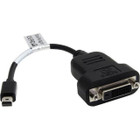
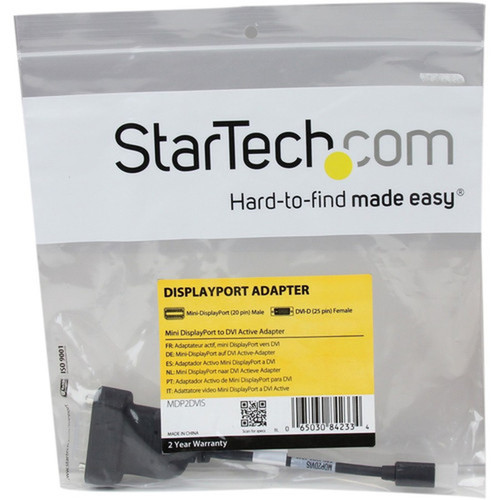
The adapter features a compact black housing with a 5.7-inch attached cable that provides flexibility in tight spaces. Weighing just 1.34 ounces (38 grams), it adds minimal bulk to laptop bags or workstation setups. The black color matches most computer peripherals and professional environments.
- Weight
- 1.34 oz (38 g)
Highlights
- Active Mini DisplayPort to DVI-D adapter supporting 1920x1200/1080p at 60Hz
- Compatible with Thunderbolt 1/2 MacBooks, Surface Pro 1-6, and mDP++ sources
- HDCP 1.3 support for protected content playback
- EDID/DDC pass-through for automatic display configuration
- 5.7" attached cable with DVI screw-locking support
- Works with Windows, macOS, and Linux without drivers
- Halogen-free construction with EU RoHS compliance
- Tested with DVI cables up to 25 feet in length
Specifications
| Specifications | |
|---|---|
| Manufacturer | StarTech.com |
| Manufacturer Part Number | MDP2DVIS |
| Brand Name | StarTech.com |
| Product Model | MDP2DVIS |
| Product Name | Mini DisplayPort to DVI Active Adapter |
| Packaged Quantity | 1 Each |
| Product Type | Video Adapter |
| Technical Information | |
| Connector Type on First End | Mini DisplayPort 1.1 Digital Audio/Video - Male |
| Connector on First End Details | 1 x 20-pin Mini DisplayPort 1.1 Digital Audio/Video - Male |
| Connector Type on Second End | DVI-D Digital Video - Female |
| Connector on Second End Details | 1 x 25-pin DVI-D Digital Video - Female |
| Features | Active,Halogen Free,HDCP 1.3,Extended Display Identification Data (EDID) |
| Physical Characteristics | |
| Color Family | Black |
| Product Color | Black |
| Weight (Approximate) | 1.34 oz (38 g) |
| Miscellaneous | |
| Country of Origin | China |
| Environmentally Friendly | Yes |
| Environmental Certification | EU RoHS |
| Environmental Compliance | Restriction of Hazardous Substances (RoHS) 2,Registration, Evaluation, Authorization and Restriction of Chemicals (REACH),Waste Electrical and Electronic Equipment Directive (WEEE) |
User Manual
FAQ
Will this adapter work with my Thunderbolt MacBook?
Yes, the adapter is specifically compatible with Thunderbolt 1 and 2 MacBooks, MacBook Air, and Mac Mini systems. It supports both Mini DisplayPort and Thunderbolt video output from these Apple devices, providing reliable connectivity to DVI monitors and projectors.
Does this require any software or drivers to work?
No, the adapter requires no software or drivers. It works immediately with Windows, macOS (including modern versions), and Linux operating systems. The plug-and-play functionality makes installation simple for end-users and IT administrators alike.
What is the difference between active and passive adapters?
Active adapters like the MDP2DVIS contain signal conversion circuitry that actively converts Mini DisplayPort signals to DVI-D format. This ensures compatibility with systems that don't natively support DVI output through their Mini DisplayPort interfaces, whereas passive adapters simply reroute compatible signals without conversion.
Can I use this with DVI cables that have screw locks?
Yes, the DVI-D female connector supports standard DVI screw-locking cables. This feature helps prevent accidental disconnection, which is particularly valuable in permanent installations, professional environments, or when using longer DVI cables up to 25 feet in length.
What systems besides MacBooks are compatible?
The adapter works with Microsoft Surface Pro 1-6 tablets, AMD FirePro and NVIDIA Quadro workstations, various laptops with Mini DisplayPort, Intel NUC mini PCs, and compatible docking stations. It supports both standard Mini DisplayPort and mDP++ sources across these device types.
What refresh rate or brightness details are available?
Display-oriented products are best judged through screen, connectivity, and installation specifications. Those facts help buyers confirm visual fit, mounting flexibility, and deployment suitability more clearly than generic summary text.
What input or connectivity options are listed?
1 x 20-pin Mini DisplayPort 1.1 Digital Audio/Video - Male.
Does the display support VESA mounting or adjustment features?
Display-oriented products are best judged through screen, connectivity, and installation specifications. Those facts help buyers confirm visual fit, mounting flexibility, and deployment suitability more clearly than generic summary text.
| Qty | Price | Available |
|---|