









Shipping included*
Exclusions
Additional shipping fees may apply in rare circumstances for deliveries outside standard service areas. In most cases, this only potentially affects shipments to the Northwest Territories and Yukon, as well as certain heavy or oversized items.
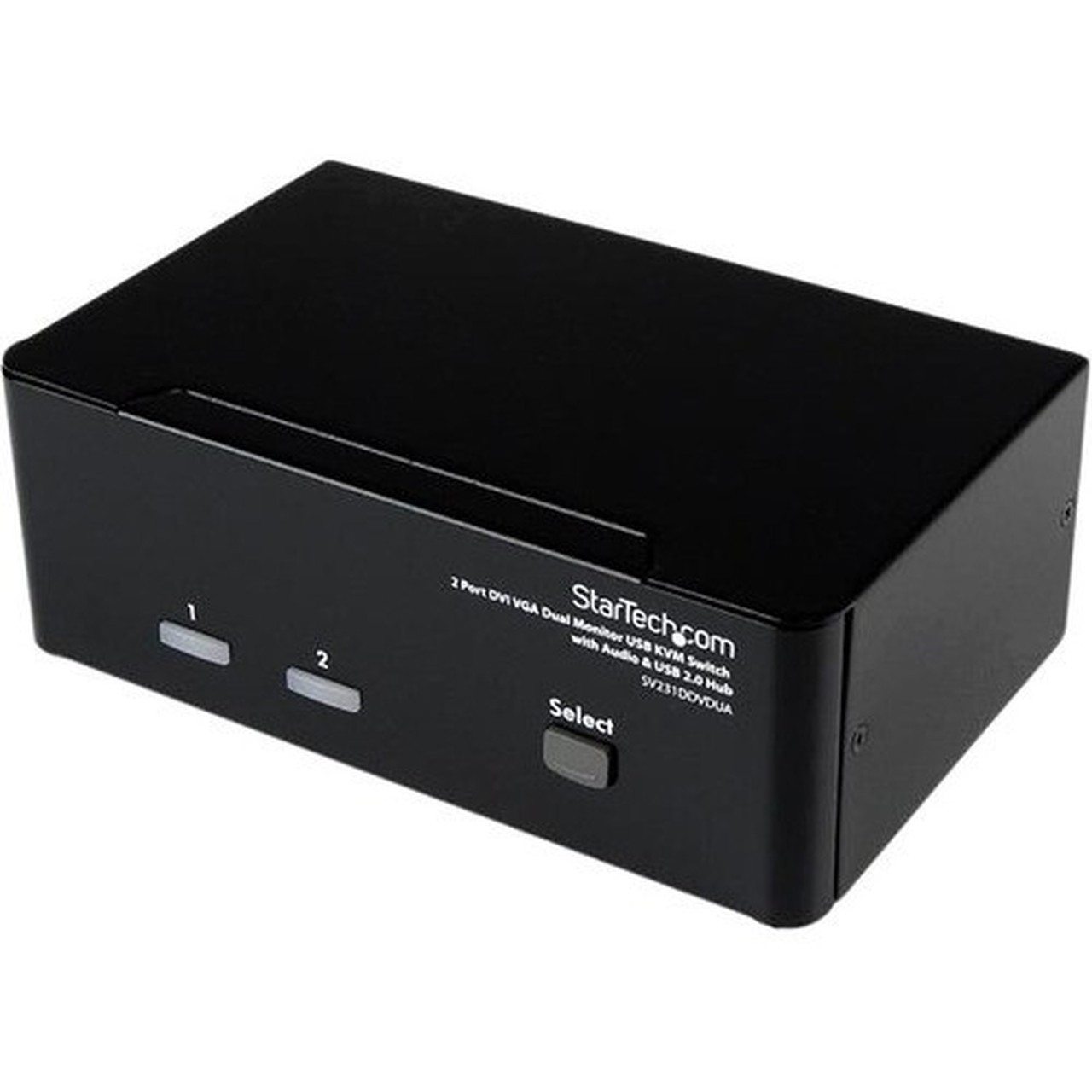
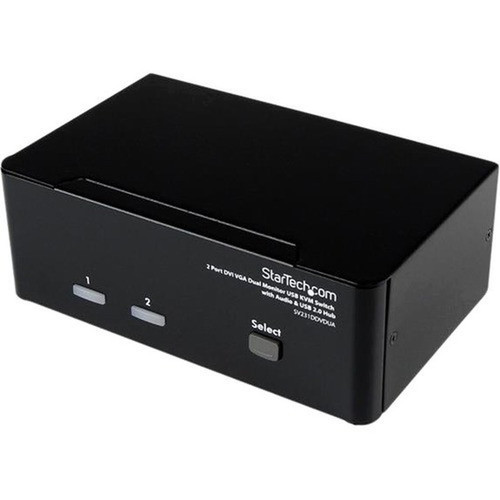
StarTech.com SV231DDVDUA 2-Port DVI/VGA KVM Switch with Audio & USB Hub - Dual Monitor Support - 1920 x 1440 Resolution - 6 USB Ports

Business volume discounts
Technical guidance
Preparation & staging
QC · ON · AB · BC
Product Features
Product Overview
The StarTech.com SV231DDVDUA is a professional-grade 2-port KVM switch designed for efficient multi-computer workspace management. This desktop switch enables seamless sharing of keyboard, mouse, audio, and dual monitors between two computers, eliminating the need for duplicate peripherals and reducing desktop clutter. With support for both DVI and VGA video interfaces, it accommodates diverse monitor configurations while maintaining crisp 1920x1440 resolution.
Built for reliability in business environments, the switch includes a built-in USB 2.0 hub with six ports, allowing additional peripherals like printers, scanners, or storage devices to be shared alongside the core KVM functions. The device operates without requiring drivers or software installation, ensuring compatibility across Windows, macOS, and Linux systems. Front-panel controls provide intuitive channel selection, while status LEDs offer clear visual feedback on active connections.
Technical Overview
This KVM switch delivers robust video performance with WUXGA graphic mode support and maximum 1920x1440 resolution at 60Hz refresh rates. The dual-monitor capability works with one VGA and one DVI display simultaneously, or two displays of the same interface type when using appropriate adapters. Video signal integrity is maintained through adjustable video strength controls accessible via a rear function key.
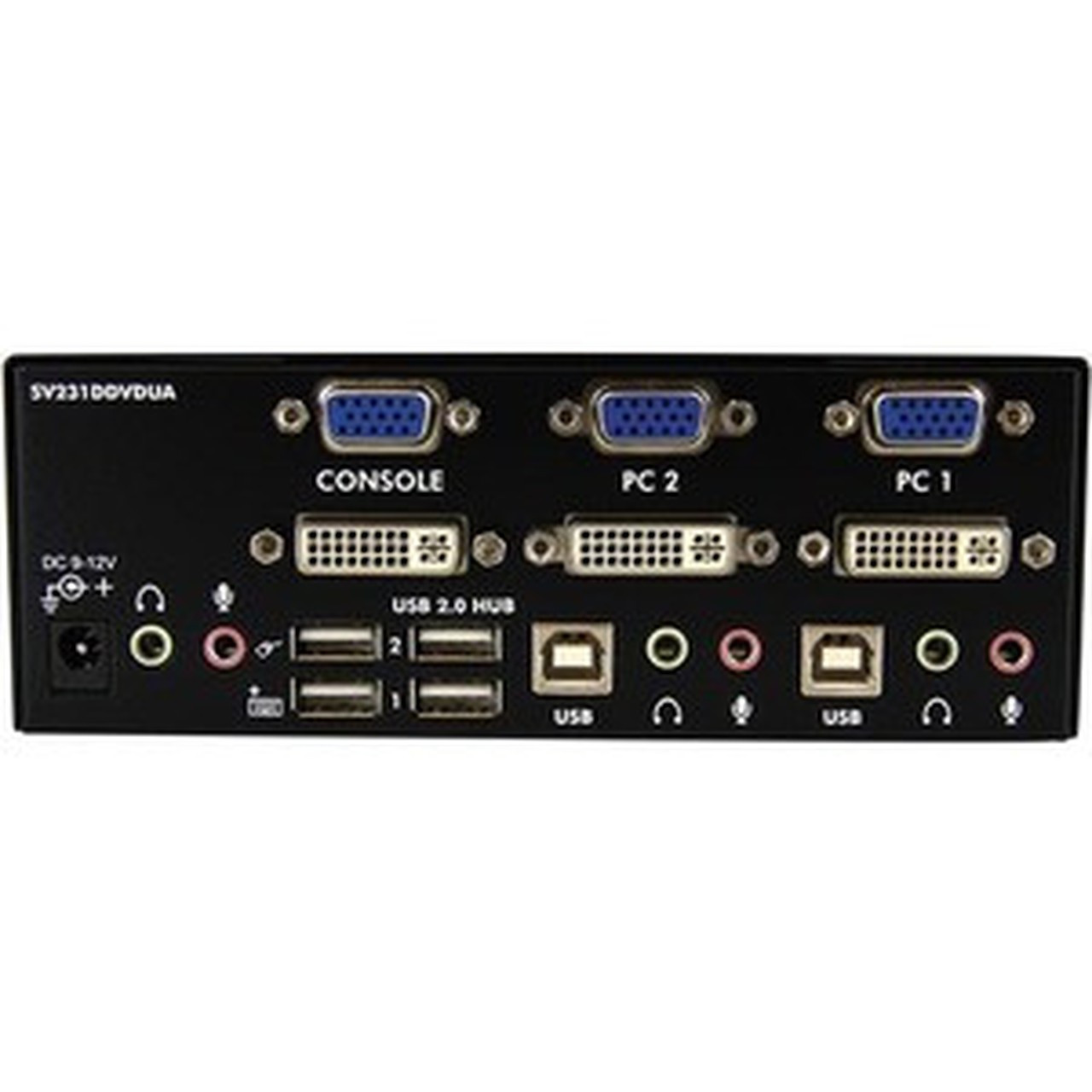
The integrated USB 2.0 hub provides six downstream ports: two dedicated for keyboard and mouse sharing, plus four additional ports for peripheral expansion. Audio switching operates independently from video, allowing users to route audio through the KVM or maintain separate audio paths as needed. Power flexibility comes from a universal 110-240V AC adapter included in the package.
Relevant factors for this section include Number of Computers Supported, Graphic Mode, Maximum Video Resolution. When those points are considered together, they give buyers a clearer picture of how the product is equipped, how it fits into deployment, and what kind of day-to-day role it is meant to support.
Key Product Advantages
This KVM switch stands out with its combination of dual-monitor support, audio integration, and peripheral expansion capabilities in a compact desktop form factor. Unlike basic KVM switches that only handle single displays, this model manages two monitors simultaneously while maintaining independent audio control—a significant advantage for multimedia professionals, financial traders, and IT administrators who need comprehensive workspace consolidation.
Flexible Control Options
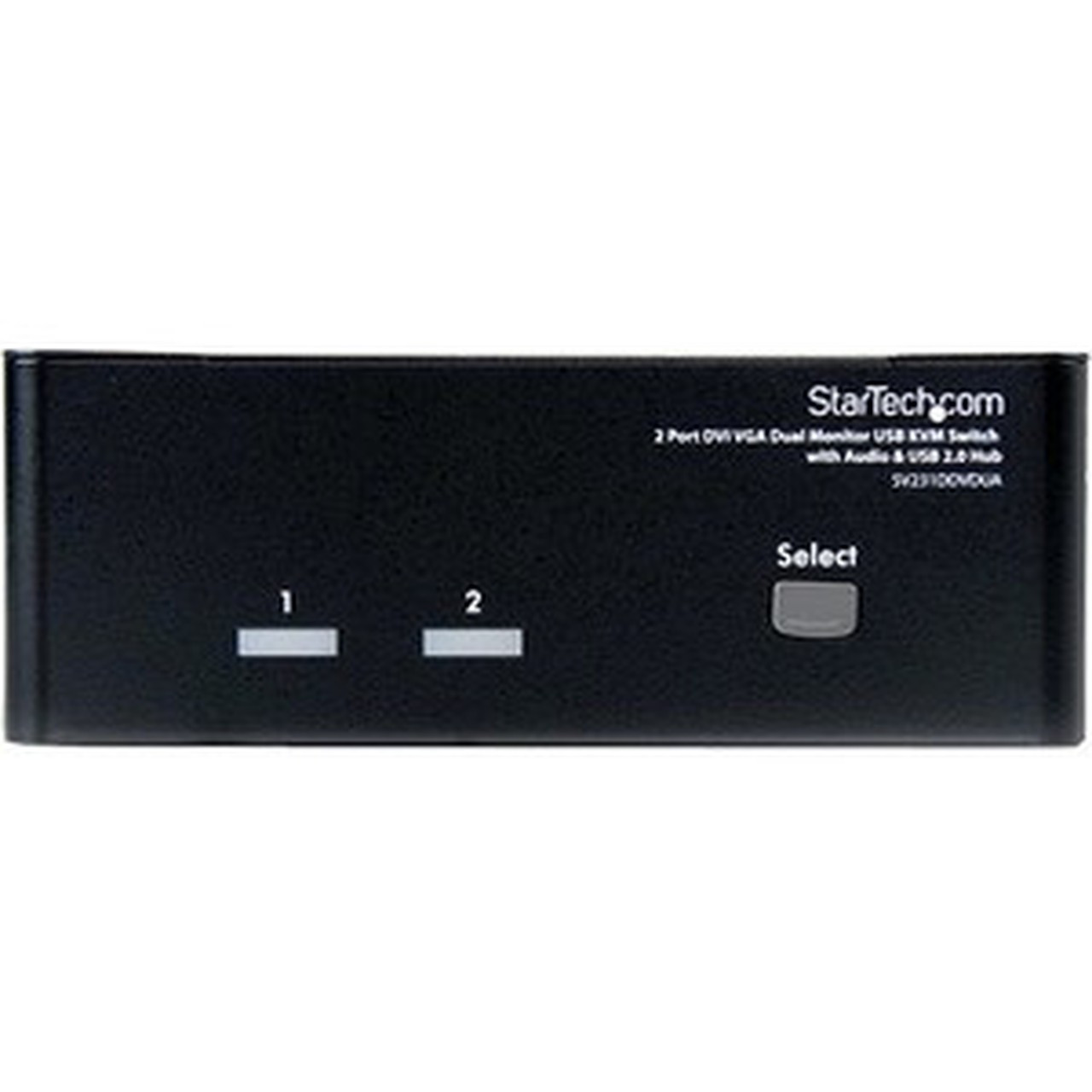
Switch between computers using front-panel push buttons, programmable keyboard hotkeys, or automatic scanning with selectable time intervals. An audible tone confirms each switch, while status LEDs provide clear visual indication of active channels.
- Front-panel buttons
- Keyboard hotkeys
- Auto-scan mode
- Status LEDs
Enhanced Usability Features
The device supports USB-style keyboards and mice without requiring special drivers, and includes a rear function key for adjusting video signal strength to optimize display quality over longer cable runs.
- Driver-free operation
- Video strength adjustment
- Universal peripheral support
Deployment / Use Cases
This 2-port KVM switch is ideal for professionals managing multiple computers in compact workspaces. IT administrators can use it to control both a primary workstation and a backup or testing system without occupying additional desk space. Financial analysts and day traders benefit from the dual-monitor capability when monitoring multiple trading platforms or market data feeds across two computers.
Creative professionals working with both a primary editing workstation and a rendering or encoding system can switch seamlessly between systems while maintaining access to shared storage devices through the USB hub. The device also serves well in help desk environments where technicians need to troubleshoot multiple systems while maintaining a clean, organized workspace.
IT Administration
Manage primary and backup servers or workstations from a single keyboard, mouse, and monitor setup, with the USB hub providing connectivity for diagnostic tools and external drives.
Financial Workspaces
Connect trading computers to dual monitors for expanded market view, with quick switching between analysis platforms and execution systems using keyboard hotkeys.
Physical Profile
The switch features a compact desktop design measuring 6.30" wide × 3.94" deep × 2.24" high (160 × 100 × 57 mm), with a weight of 1.72 lb (779 g). Its low-profile form factor fits easily under monitors or between computer towers, while four included rubber foot pads provide stable placement and prevent surface scratching. The universal power adapter supports international voltage standards from 110V to 240V AC, making the device suitable for global deployment.
- Width
- 6.30" (160 mm)
- Depth
- 3.94" (100 mm)
- Height
- 2.24" (57 mm)
- Weight
- 1.72 lb (779 g)
What's in the Box
The package includes all necessary components for immediate setup and operation.
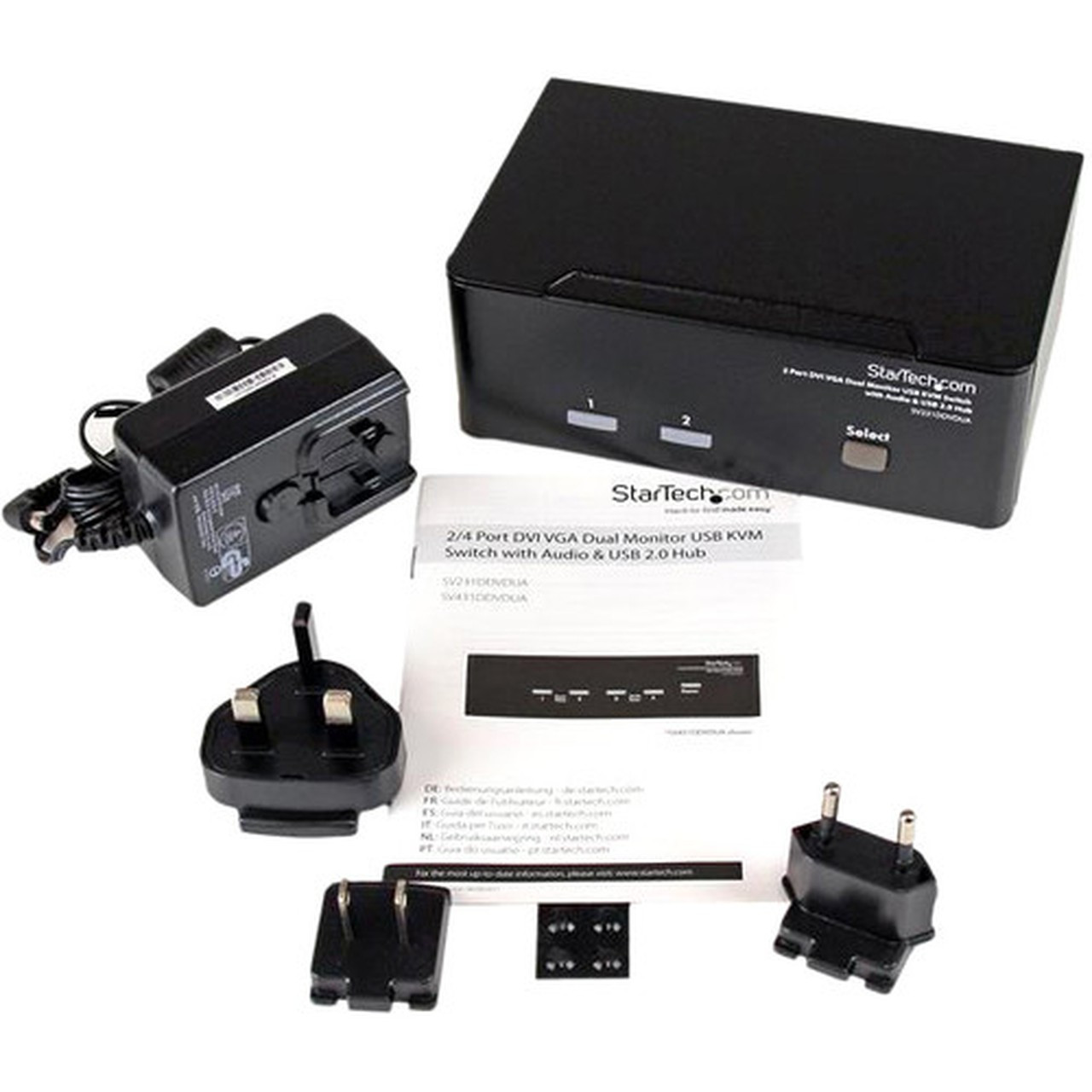
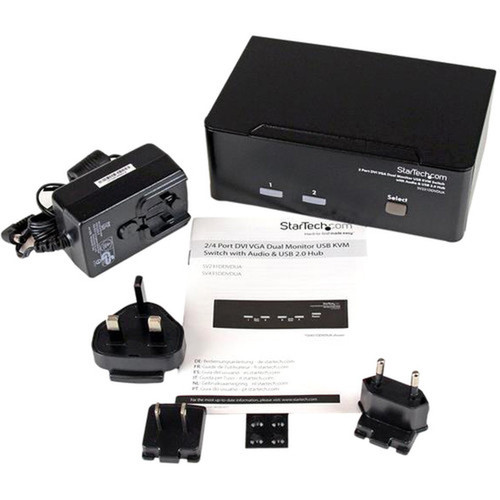
Package contents include 2 Port DVI VGA Dual Monitor KVM Switch with Audio & USB Hub, 4 x Foot Pads, 1 x Universal power adapter (NA/EU/UK/AU), 1 x Instruction manual. These included items support setup, installation, and immediate deployment without needing to source the core bundled accessories separately.
Highlights
- Shares keyboard, mouse, audio, and dual monitors between two computers
- Supports both DVI and VGA video interfaces simultaneously
- Maximum 1920x1440 resolution with WUXGA graphic mode
- Built-in USB 2.0 hub with six ports for peripheral expansion
- OS independent operation—no drivers or software required
- Front-panel buttons and keyboard hotkeys for channel selection
- Independent or simultaneous audio switching capability
- TAA compliant for government and educational procurement
- Universal 110-240V AC power adapter included
- 3-year limited warranty with RoHS, REACH, and WEEE compliance
Specifications
| Specifications | |
|---|---|
| Manufacturer | StarTech.com |
| Manufacturer Part Number | SV231DDVDUA |
| Brand Name | StarTech.com |
| Product Name | 2 Port DVI VGA Dual Monitor KVM Switch with Audio & USB Hub |
| Packaged Quantity | 1 Each |
| Product Type | KVM Switchbox |
| Technical Information | |
| Number of Computers Supported | 2 |
| Video | |
| Graphic Mode | WUXGA |
| Maximum Video Resolution | 1920 x 1440 |
| Interfaces/Ports | |
| USB | Yes |
| DVI | Yes |
| VGA | Yes |
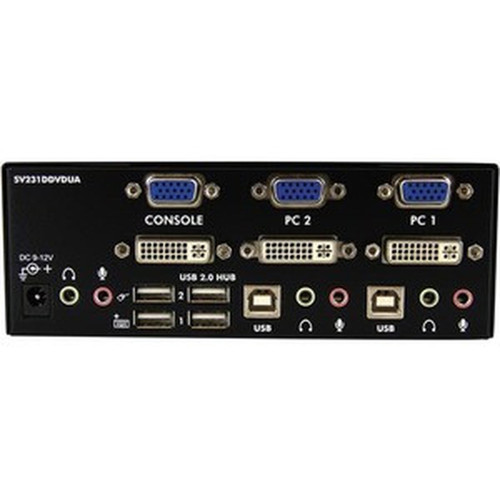
| Number of USB Ports | 6 |
| Number of DVI Ports | 3 |
| Number of VGA Ports | 3 |
| Power Description | |
| Input Voltage Range | 110V AC to 240V AC |
| Physical Characteristics | |
| Form Factor | Desktop |
| Height | 2.24" (57 mm) |
| Width | 6.30" (160 mm) |
| Depth | 3.94" (100 mm) |
| Weight (Approximate) | 1.72 lb (779 g) |
| Miscellaneous | |
| Package Contents | 2 Port DVI VGA Dual Monitor KVM Switch with Audio & USB Hub 4 x Foot Pads 1 x Universal power adapter (NA/EU/UK/AU) 1 x Instruction manual |
| Environmentally Friendly | Yes |
| Environmental Certification | EU RoHS |
| Environmental Compliance | Restriction of Hazardous Substances (RoHS) 2,Registration, Evaluation, Authorization and Restriction of Chemicals (REACH),Waste Electrical and Electronic Equipment Directive (WEEE) |
| Country of Origin | Taiwan |
| TAA Compliant | Yes |
| Warranty | |
| Limited Warranty | 3 Year |
User Manual
FAQ
How many computers can I connect to this KVM switch?
The SV231DDVDUA supports two computers simultaneously. You can connect one computer to each of the two KVM channels, then use the front-panel buttons, keyboard hotkeys, or auto-scan function to switch control between them while sharing the same keyboard, mouse, audio, and dual monitors.
What video resolutions does this KVM switch support?
This switch supports maximum video resolution of 1920 x 1440 at 60Hz refresh rate with WUXGA graphic mode. It maintains signal integrity for both DVI and VGA interfaces, making it compatible with most business monitors and displays while delivering crisp image quality for productivity applications.
Can I connect both DVI and VGA monitors at the same time?
Yes, the switch is designed to support one DVI monitor and one VGA monitor simultaneously. This dual-interface capability allows you to mix monitor types in your workspace. The device includes three DVI ports and three VGA ports total to accommodate the necessary connections for two computers and two monitors.
Does this KVM switch require special software or drivers?
No, the switch operates without requiring any software installation or special drivers. It uses standard USB HID protocols for keyboard and mouse recognition, making it compatible with Windows, macOS, and Linux systems through plug-and-play functionality. This OS independence simplifies deployment and eliminates compatibility concerns.
What is included in the package with the KVM switch?
The package includes the 2-port DVI/VGA KVM switch with audio and USB hub, four rubber foot pads for stable placement, a universal power adapter that supports 110-240V AC (compatible with North American, European, UK, and Australian outlets), and a comprehensive instruction manual with setup guidance and troubleshooting information.
What compliance certifications does this product have?
This KVM switch is TAA compliant for government procurement, carries EU RoHS certification, and meets Restriction of Hazardous Substances (RoHS 2), Registration, Evaluation, Authorization and Restriction of Chemicals (REACH), and Waste Electrical and Electronic Equipment Directive (WEEE) environmental standards. It also includes a 3-year limited warranty from StarTech.com.
| Qty | Price | Available |
|---|