








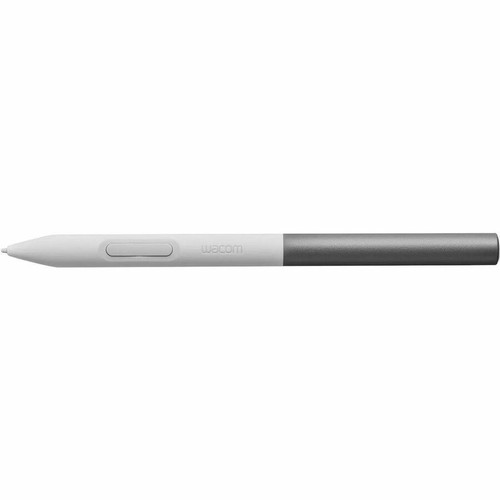
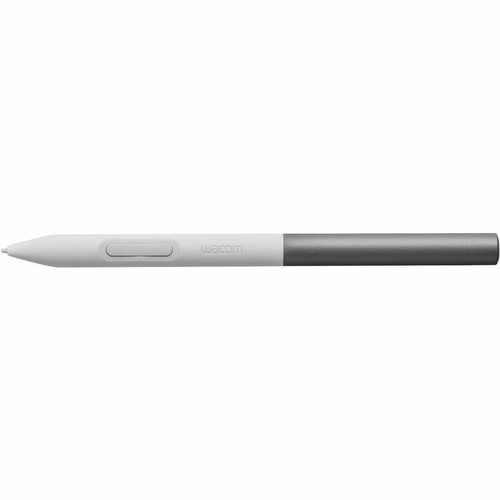
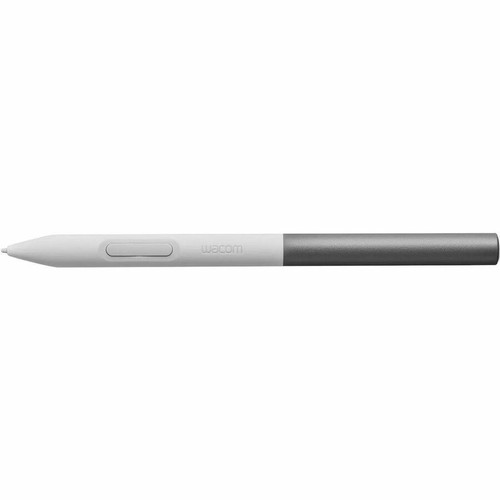

Wacom CP92303B2Z One Standard Pen - White & Gray Stylus for Tablets and Interactive Displays ( )

Business volume discounts
Technical guidance
Preparation & staging
QC · ON · AB · BC
Product Features
Technical Overview
This stylus is built as a dedicated input device for tablets and interactive displays, providing precise control for digital creation and annotation tasks. It integrates with Wacom's established pen technology to deliver smooth tracking and pressure sensitivity where supported by the host device.
The pen's compatibility is specifically validated for Wacom One 12, 13 touch, S and M models, ensuring optimal performance within that ecosystem. Its design emphasizes ergonomics and durability for extended use in professional, educational, or creative environments.
Relevant factors for this section include Device Supported, Color Family, Product Color. When those points are considered together, they give buyers a clearer picture of how the product is equipped, how it fits into deployment, and what kind of day-to-day role it is meant to support.
A strong technical summary explains how the product's interfaces, hardware profile, and operating characteristics work together in real deployment. Buyers often need this context to confirm compatibility with existing devices, expected performance in daily use, and whether installation will be straightforward for IT staff or end users.
Key Product Advantages
The Wacom One Standard Pen provides a reliable and intuitive tool for digital interaction, enhancing productivity and creativity on supported devices.
These strengths make the product easier to deploy and manage in real environments, especially where reliability, usability, and day-to-day operational continuity matter. Notable benefits include Validated Compatibility, Ergonomic Design.
Validated Compatibility
Designed specifically for Wacom One 12, 13 touch, S and M tablets and interactive displays, ensuring seamless integration and consistent performance.
- Guaranteed compatibility with listed models
- Optimized for Wacom's input technology
Ergonomic Design
The White and Gray dual-color styling offers both visual distinction and comfortable handling during extended use sessions.
- Dual-color White and Gray finish
- Balanced for precise control
Deployment / Use Cases
This stylus is ideal for environments where precise digital input enhances workflow, from creative studios to educational settings.
In graphic design and digital art applications, it enables natural drawing and sketching directly on compatible tablets. For education and business, it supports interactive presentations, annotations, and note-taking on interactive displays, facilitating collaborative and engaging sessions.
Creative Professional Use
Artists and designers can leverage the pen for illustration, photo editing, and concept development on Wacom One tablets, benefiting from accurate stroke control.
- Digital drawing and painting
- Photo retouching and editing
Educational and Business Applications
Teachers and presenters use the stylus for interactive lessons, annotations, and collaborative whiteboarding on supported displays, making content more dynamic.
- Classroom instruction and annotations
- Business presentations and meetings
Highlights
- Compatible with Wacom One 12, 13 touch, S and M tablets and interactive displays
- Dual-color White and Gray design for visual appeal and visibility
- Precision stylus for accurate digital input and control
- Designed for creative, educational, and professional use cases
- Ergonomic build suitable for extended drawing or writing sessions
- Seamless integration with supported Wacom devices
- Enhances interactive presentations and digital artwork
- Reliable performance backed by Wacom's input technology
Specifications
| Specifications | |
|---|---|
| Manufacturer | Wacom Technology Co |
| Manufacturer Part Number | CP92303B2Z |
| Brand Name | Wacom |
| Product Name | One Standard Pen |
| Product Type | Stylus |
| Technical Information | |
| Device Supported | Tablet,Interactive Display |
| Physical Characteristics | |
| Color Family | Dual Color |
| Product Color | White,Gray |
| Miscellaneous | |
| Compatibility | Wacom One 12, 13 touch, S and M |
FAQ
Which devices are compatible with the Wacom One Standard Pen?
The Wacom One Standard Pen is compatible with tablets and interactive displays, specifically validated for Wacom One 12, 13 touch, S and M models. It is designed to work seamlessly within this ecosystem, ensuring reliable performance for digital input tasks on supported devices.
What colors does the Wacom One Standard Pen come in?
This stylus features a dual-color design combining White and Gray. This color scheme provides both aesthetic appeal and practical visibility during use, making it easy to identify and handle in various lighting conditions.
Is the Wacom One Standard Pen suitable for professional graphic design work?
Yes, the Wacom One Standard Pen is designed for professional use, including graphic design, digital art, and photo editing. It delivers precise input control on compatible tablets, supporting natural drawing and sketching experiences expected in creative workflows.
Can this pen be used for educational purposes?
Absolutely. The Wacom One Standard Pen is ideal for educational settings, enabling teachers and students to interact with content on compatible interactive displays. It supports annotations, note-taking, and collaborative whiteboarding, enhancing engagement in classrooms and training sessions.
What is the product type of the Wacom One Standard Pen?
The Wacom One Standard Pen is categorized as a stylus. It serves as a dedicated input device for tablets and interactive displays, providing accurate digital pen functionality for drawing, writing, and navigation tasks on supported hardware.
Does the Wacom One Standard Pen require batteries or charging?
Based on the product specifications provided, the Wacom One Standard Pen does not list any battery or charging requirements. It is designed as a passive stylus that likely operates without external power, relying on the host device's technology for functionality, but always refer to the device manual for specific operational details.
| Qty | Price | Available |
|---|


