










Adesso Imouse P20 Wireless Mouse/Presentation Pointer - Radio Frequency 2.40 GHz - Rechargeable - Symmetrical - USB

Business volume discounts
Technical guidance
Preparation & staging
QC · ON · AB · BC
Product Features
Technical Overview
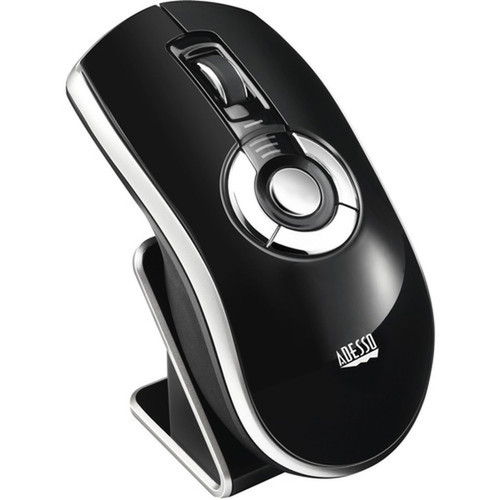
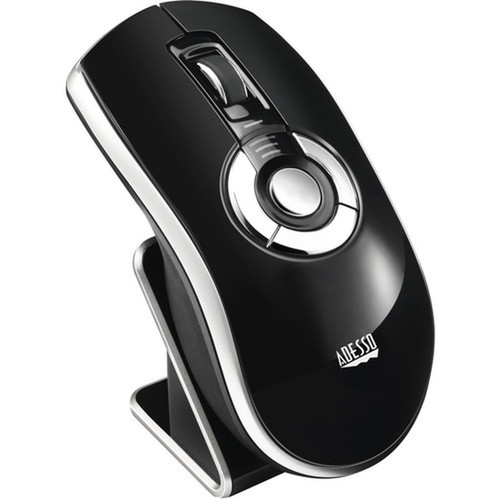
This mouse/presentation pointer features a symmetrical ergonomic design that accommodates both left-handed and right-handed users comfortably. It connects via a USB receiver and includes a rechargeable battery, eliminating the need for disposable batteries. The included MotionTools software for Windows enhances functionality with customizable settings for presentations and pointer control.
Relevant factors for this section include Pointing Device Connectivity Technology, Pointing Device Wireless Technology, Wireless Operating Frequency, Pointing Device Host Interface. When those points are considered together, they give buyers a clearer picture of how the product is equipped, how it fits into deployment, and what kind of day-to-day role it is meant to support.
A strong technical summary explains how the product's interfaces, hardware profile, and operating characteristics work together in real deployment. Buyers often need this context to confirm compatibility with existing devices, expected performance in daily use, and whether installation will be straightforward for IT staff or end users.
Key Product Advantages
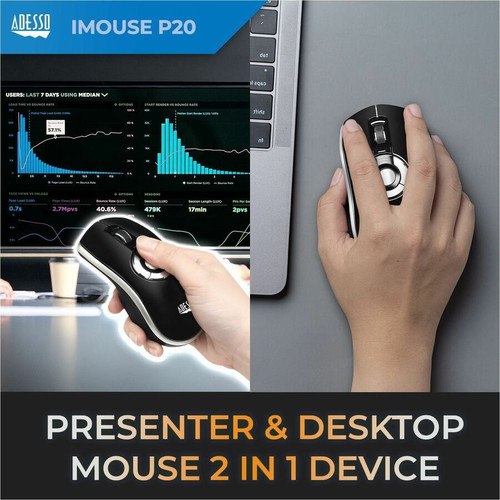
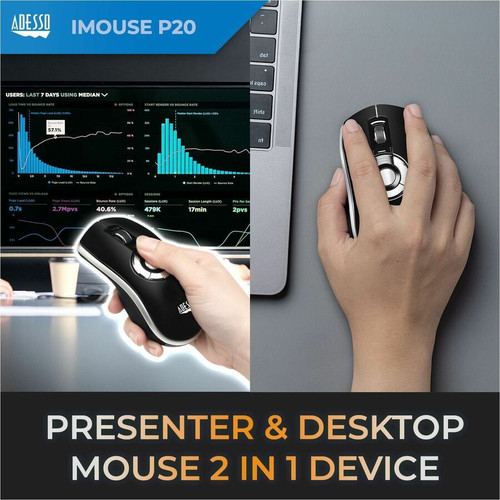
The iMouse P20 stands out with its dual-purpose design, serving as both a precise mouse and an effective presentation pointer. Its symmetrical shape ensures comfort for all users, while the Radio Frequency wireless technology offers greater freedom of movement compared to infrared alternatives.
These strengths make the product easier to deploy and manage in real environments, especially where reliability, usability, and day-to-day operational continuity matter. Notable benefits include Symmetrical Design, Radio Frequency Wireless, Rechargeable Battery, USB Connectivity, Presentation Ready.
For buyers comparing similar models, the strongest advantage is usually the balance between dependable day-to-day operation and a simpler rollout experience. That means less time spent troubleshooting fit, compatibility, or user adoption after installation, which is especially important for shared business environments and repeat purchasing decisions.
Deployment / Use Cases
Ideal for business presentations, classroom teaching, and remote desktop control scenarios where users need to navigate slides or applications from across the room. The device works particularly well in conference rooms, training facilities, and home offices where presenters move around while maintaining control of their computer.
Relevant factors for this section include Pointing Device Connectivity Technology, Pointing Device Wireless Technology, Wireless Operating Frequency, Pointing Device Host Interface. When those points are considered together, they give buyers a clearer picture of how the product is equipped, how it fits into deployment, and what kind of day-to-day role it is meant to support.
Business Presentations
Control PowerPoint slides and applications wirelessly during meetings and conferences.
- Navigate slides forward/back
- Highlight key points
- Control media playback
Educational Environments
Teachers and trainers can move around classrooms while maintaining computer control.
- Interactive teaching
- Student engagement
- Remote demonstration
Physical Profile
The iMouse P20 has compact dimensions of 4.60" x 2.30" x 1.60" (116.84 x 58.42 x 40.64 mm) and weighs approximately 3 oz (85.05 g), making it portable and easy to handle. The symmetrical design features a smooth finish with accessible buttons for both mouse and presentation functions.
The physical profile is practical for deployment planning because the dimensions and weight are clearly defined: 4.60" (116.84 mm), 2.30" (58.42 mm), 1.60" (40.64 mm), 3 oz (85.05 g). This helps confirm rack, shelf, desk, or cabinet fit before installation.
- Width
- 2.30" (58.42 mm)
- Depth
- 1.60" (40.64 mm)
- Height
- 4.60" (116.84 mm)
- Weight
- 3 oz (85.05 g)
What's in the Box
The package includes everything needed for immediate setup and use with Windows desktop computers.
Highlights
- Wireless Radio Frequency connectivity at 2.40 GHz for stable operation
- Symmetrical design works for both left-handed and right-handed users
- Rechargeable battery with desktop charging cradle included
- USB receiver for simple plug-and-play setup
- Dual function as both mouse and presentation pointer
- Compatible with Windows 10, 8, 7, XP, and Vista
- Includes MotionTools software for enhanced presentation control
- Compact and lightweight at 3 oz for easy portability
Specifications
| Specifications | |
|---|---|
| Manufacturer | Adesso, Inc |
| Manufacturer Part Number | IMOUSEP20 |
| Brand Name | Adesso |
| Product Line | iMouse |
| Product Model | P20 |
| Product Name | iMouse P20 Mouse/Presentation Pointer |
| Product Type | Mouse/Presentation Pointer |
| Pointing Device | |
| Pointing Device Connectivity Technology | Wireless |
| Pointing Device Wireless Technology | Radio Frequency |
| Wireless Operating Frequency | 2.40 GHz |
| Ergonomic Fit | Symmetrical |
| Rechargeable | Yes |
| Interfaces/Ports | |
| Pointing Device Host Interface | USB |
| Physical Characteristics | |
| Height | 4.60" (116.84 mm) |
| Width | 2.30" (58.42 mm) |
| Depth | 1.60" (40.64 mm) |
| Weight (Approximate) | 3 oz (85.05 g) |
| Miscellaneous | |
| Package Contents | iMouse P20 Mouse/Presentation Pointer Desktop Charging Cradle and USB Charging Cable 2.4 GHz USB Receiver Quick Start Guide Downloadable MotionTools Software for Windows |
| Device Supported | Desktop Computer |
| Operating System Compatibility | Windows 10,Windows 8,Windows 7,Windows XP,Windows Vista |
| Platform Supported | PC |
User Manual
FAQ
What wireless technology does the Adesso iMouse P20 use?
The iMouse P20 uses Radio Frequency wireless technology operating at 2.40 GHz. This provides more reliable connectivity than infrared options, as it doesn't require line-of-sight and offers better range and stability for presentation environments where you might move around the room.
Is this mouse compatible with left-handed users?
Yes, the symmetrical ergonomic design accommodates both left-handed and right-handed users equally well. The button layout and shape are identical on both sides, making it comfortable for anyone regardless of their dominant hand.
What comes in the package with the iMouse P20?
The complete package includes the iMouse P20 mouse/presentation pointer, a desktop charging cradle, a USB charging cable, a 2.4 GHz USB receiver, a quick start guide, and downloadable MotionTools software for Windows. Everything needed for setup and operation is included.
Which operating systems are supported?
The iMouse P20 is compatible with Windows 10, Windows 8, Windows 7, Windows XP, and Windows Vista. It's designed specifically for desktop computers running these Windows operating systems and includes software that enhances functionality on these platforms.
How do I charge the iMouse P20?
The device includes a rechargeable battery that charges via the included desktop charging cradle and USB cable. Simply place the mouse in the charging cradle when not in use to maintain battery life. The rechargeable design eliminates the need for disposable batteries.
Can I use this for both mouse functions and presentations?
Yes, the iMouse P20 serves dual purposes as both a standard computer mouse and a presentation pointer. It includes dedicated buttons for presentation navigation (forward/back) alongside standard mouse buttons, and the included MotionTools software provides additional presentation control features for Windows.
| Qty | Price | Available |
|---|


