
Shipping included*
Exclusions
Additional shipping fees may apply in rare circumstances for deliveries outside standard service areas. In most cases, this only potentially affects shipments to the Northwest Territories and Yukon, as well as certain heavy or oversized items.
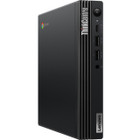
Lenovo 12C6000BUS ThinkCentre M60q Chromebox - Intel Core i5-1235U 12th Gen - 8GB RAM - 128GB NVMe SSD - Tiny Black Desktop - ChromeOS

Business volume discounts
Technical guidance
Preparation & staging
QC · ON · AB · BC
Product Features
Technical Overview
At the core of the ThinkCentre M60q Chromebox is the Intel Core i5-1235U processor, a 12th Gen mobile CPU with 10 cores (2 performance cores and 8 efficiency cores) that balances power efficiency with burst performance up to 4.40 GHz. This processor is paired with Intel Iris Xe Graphics, which leverages shared system memory to accelerate video playback, photo editing, and everyday graphics workloads.
The system's 8 GB of DDR4 SDRAM operates in a single-channel configuration, providing sufficient bandwidth for ChromeOS's memory-efficient architecture. Storage is handled by a 128 GB PCI Express NVMe 3.0 x4 SSD in the M.2 form factor, delivering fast read/write speeds that reduce application load times and improve overall system responsiveness.
Relevant factors for this section include Processor Manufacturer, Processor Type, Processor Generation, Chipset Manufacturer. When those points are considered together, they give buyers a clearer picture of how the product is equipped, how it fits into deployment, and what kind of day-to-day role it is meant to support.
Key Product Advantages
The ThinkCentre M60q Chromebox combines robust hardware with the streamlined ChromeOS platform to deliver a computing solution that reduces IT overhead while maintaining professional performance. Its compact design and comprehensive connectivity make it adaptable to diverse deployment scenarios, from front-office kiosks to collaborative team environments.
Space-Efficient Design
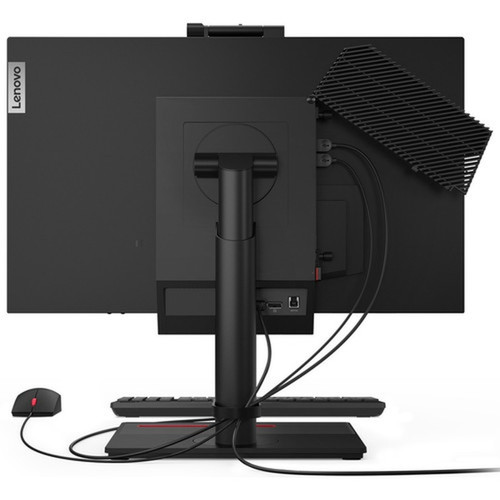
The tiny form factor (1.34" x 7.01" x 7.17") allows installation in tight spaces, behind monitors, or mounted vertically with the included stand, maximizing workspace utility.
- Vertical stand included
- Minimal desk footprint
- Easy cable management
Modern Connectivity Suite
With 7 USB ports including high-speed USB 3.2 Gen 2 and a USB-C port with DisplayPort 1.4 support, the Chromebox connects to peripherals, displays, and storage devices without adapters.
- USB-C with video output
- Gigabit Ethernet for stable connections
- Wi-Fi 6 and Bluetooth 5.0
Enterprise-Ready Security
ChromeOS provides built-in virus protection, automatic updates, and sandboxed applications, while the physical security slot allows cable locking to prevent theft in shared environments.
Deployment / Use Cases
The ThinkCentre M60q Chromebox excels in environments where cloud-based workflows dominate and physical space is at a premium. Its combination of capable hardware and ChromeOS makes it particularly suitable for modern business and education settings that prioritize simplicity, security, and collaboration.
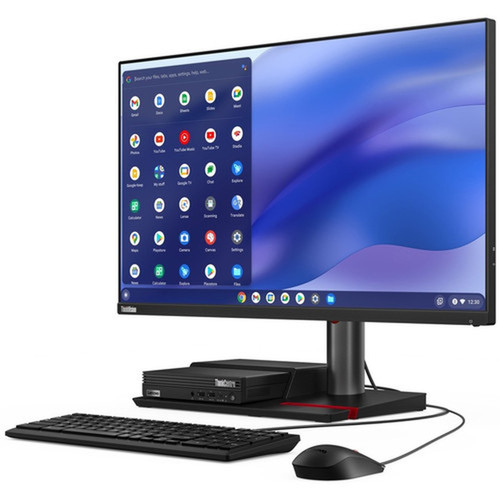
In office environments, the Chromebox serves as an efficient workstation for employees using Google Workspace, web-based CRM systems, and communication platforms. The tiny form factor allows clean desk setups while the robust connectivity supports multiple monitors and peripherals. For education, the system provides a cost-effective computing solution for computer labs, libraries, and classroom carts, with ChromeOS's multi-user capabilities allowing quick switching between students.
Digital Signage & Kiosks
The compact size and low power consumption make this Chromebox ideal for digital signage deployments in retail, hospitality, or corporate lobbies, where it can drive content displays reliably with minimal maintenance.
Remote Work & Hot Desking
With ChromeOS's seamless synchronization across devices and built-in security features, the M60q Chromebox supports flexible work arrangements where employees need consistent access to cloud applications from any location.
Localization and Operating System
This Chromebox ships with ChromeOS pre-installed, providing immediate access to the Google ecosystem including Google Workspace, Google Play Store for Android apps, and Chrome browser extensions. The operating system is designed for cloud-first computing with automatic updates that ensure security and feature enhancements without user intervention.
The system includes English keyboard localization, making it ready for deployment in English-speaking markets. ChromeOS supports multiple user accounts with individual profiles, allowing shared devices to maintain personal settings and application access for different users.
Relevant factors for this section include Processor Manufacturer, Processor Type, Processor Generation, Chipset Manufacturer. When those points are considered together, they give buyers a clearer picture of how the product is equipped, how it fits into deployment, and what kind of day-to-day role it is meant to support.
Physical Profile
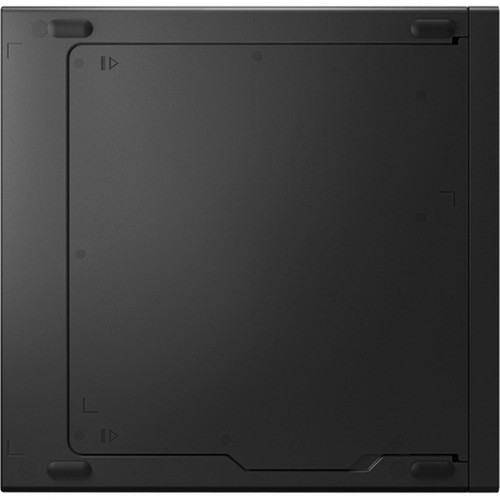
The ThinkCentre M60q Chromebox measures just 1.34 inches in height, 7.01 inches in width, and 7.17 inches in depth, with a weight of approximately 2.36 pounds. This compact design allows placement in spaces where traditional desktops wouldn't fit, including behind monitors, mounted on walls or under desks, or positioned vertically using the included stand.
The all-black finish provides a professional appearance that blends with most office environments. Despite its small size, the chassis includes adequate ventilation to maintain optimal operating temperatures during extended use, and the 90-watt power supply ensures efficient operation with minimal energy consumption.
- Width
- 7.01" (178 mm)
- Depth
- 7.17" (182 mm)
- Height
- 1.34" (34 mm)
- Weight
- 2.36 lb (1070 g)
What's in the Box
The ThinkCentre M60q Chromebox 12C6000BUS ships complete with all necessary components for immediate deployment.
Highlights
- Intel Core i5-1235U 12th Gen processor with 10 cores for responsive multitasking
- 8 GB DDR4 SDRAM supports smooth operation of multiple Chrome tabs and applications
- 128 GB NVMe SSD delivers fast boot times and application loading
- Intel Iris Xe Graphics accelerates video playback and light creative work
- ChromeOS provides secure, low-maintenance computing with automatic updates
- Tiny form factor (1.34" H) saves valuable desk space
- 7 USB ports including USB-C with DisplayPort 1.4 support
- Gigabit Ethernet and Wi-Fi 6 (802.11ax) for reliable connectivity
- Includes vertical stand for flexible mounting options
- ENERGY STAR 8.0 certified and EPEAT Gold for environmental responsibility
Specifications
| Specifications | |
|---|---|
| Manufacturer | Lenovo Group Limited |
| Manufacturer Part Number | 12C6000BUS |
| Brand Name | Lenovo |
| Product Line | ThinkCentre |
| Product Series | M60q |
| Product Model | 12C6000BUS |
| Product Name | ThinkCentre M60q Chromebox 12C6000BUS |
| Product Type | Chromebox |
| Processor | |
| Processor Manufacturer | Intel |
| Processor Type | Core i5 |
| Processor Generation | 12th Gen |
| Processor Model | i5-1235U |
| Processor Core | Deca-core (10 Core) |
| Processor Speed | 1.30 GHz |
| Maximum Turbo Speed | 4.40 GHz |
| vPro Technology | No |
| Chipset | |
| Chipset Manufacturer | Intel |
| Memory | |
| Standard Memory | 8 GB |
| Memory Technology | DDR4 SDRAM |
| Memory Configuration | 1 x 8GB |
| Storage | |
| Total Solid State Drive Capacity | 128 GB |
| Solid State Drive Interface | PCI Express NVMe 3.0 x4 |
| SSD Form Factor | M.2 |
| Display & Graphics | |
| Graphics Controller Manufacturer | Intel |
| Graphics Controller Model | Iris Xe Graphics |
| Graphics Memory Technology | DDR4 SDRAM |
| Graphics Memory Accessibility | Shared |
| Network & Communication | |
| Ethernet Technology | Gigabit Ethernet |
| Wireless LAN | Yes |
| Wireless LAN Standard | IEEE 802.11ax |
| Bluetooth | Yes |
| Input Devices | |
| Keyboard Localization | English |
| Interfaces/Ports | |
| Total Number of USB Ports | 7 |
| Number of USB 3.2 Gen 1 Ports | 4 |
| Number of USB 3.2 Gen 2 Ports | 2 |
| USB Type-C (Front) | Yes |
| USB Type-C Detail | 1x USB-C® 3.2 Gen 2 (with DP 1.4) |
| Operating System | |
| Operating System Platform | ChromeOS |
| Operating System | ChromeOS |
| Power Description | |
| Maximum Power Supply Wattage | 90 W |
| Physical Characteristics | |
| Color Family | Black |
| Product Color | Black |
| Form Factor | Tiny |
| Height | 1.34" (34 mm) |
| Width | 7.01" (178 mm) |
| Depth | 7.17" (182 mm) |
| Weight (Approximate) | 2.36 lb (1070 g) |
| Miscellaneous | |
| Package Contents | ThinkCentre M60q Chromebox 12C6000BUS Keyboard Mouse Vertical Stand AC Adapter |
| Features | Security Slot |
| Energy Star | Yes |
| Environmentally Friendly | Yes |
| Environmental Certification | Electronic Product Environmental Assessment Tool Gold (EPEAT Gold) |
| Energy Efficiency Certification | ENERGY STAR 8.0 |
| Warranty | |
| Limited Warranty | 1 Year |
| Additional Warranty Information | 1-year, Courier or Carry-in |
User Manual
FAQ
What processor does the Lenovo ThinkCentre M60q Chromebox use?
The Chromebox features an Intel Core i5-1235U 12th Gen processor with 10 cores (2 performance cores and 8 efficiency cores). It operates at a base frequency of 1.30 GHz with a maximum turbo frequency of 4.40 GHz, providing balanced performance for web applications, office productivity, and media tasks within the ChromeOS environment.
How much memory and storage does this Chromebox include?
This configuration includes 8 GB of DDR4 SDRAM in a single 8GB module configuration, which is sufficient for ChromeOS's efficient memory management. For storage, it features a 128 GB PCI Express NVMe 3.0 x4 SSD in the M.2 form factor, offering fast read/write speeds that significantly improve system responsiveness compared to traditional hard drives.
What graphics capabilities does the ThinkCentre M60q Chromebox offer?
The system utilizes Intel Iris Xe Graphics integrated into the Core i5-1235U processor. This graphics solution shares system memory (DDR4 SDRAM) and provides capable performance for HD video playback, photo editing, web-based graphics applications, and everyday office tasks. It supports multiple displays through the available video outputs.
What connectivity options are available on this Chromebox?
The Chromebox offers comprehensive connectivity with 7 USB ports total: 4 USB 3.2 Gen 1 ports, 2 USB 3.2 Gen 2 ports, and 1 USB-C 3.2 Gen 2 port that supports DisplayPort 1.4 video output. For networking, it includes Gigabit Ethernet, Wi-Fi 6 (802.11ax) for wireless connectivity, and Bluetooth for peripheral connections.
How compact is the ThinkCentre M60q Chromebox physically?
The Chromebox features a tiny form factor measuring just 1.34 inches in height, 7.01 inches in width, and 7.17 inches in depth, with a weight of approximately 2.36 pounds. This compact design allows placement in space-constrained environments, and the included vertical stand enables upright positioning to further reduce the desk footprint.
What operating system comes pre-installed on this Chromebox?
The system ships with ChromeOS pre-installed, providing immediate access to Google's ecosystem including Google Workspace, Chrome browser, and Android apps from the Google Play Store. ChromeOS offers automatic security updates, built-in virus protection, and a simplified interface optimized for cloud-based workflows and multi-user environments.
| Qty | Price | Available |
|---|