








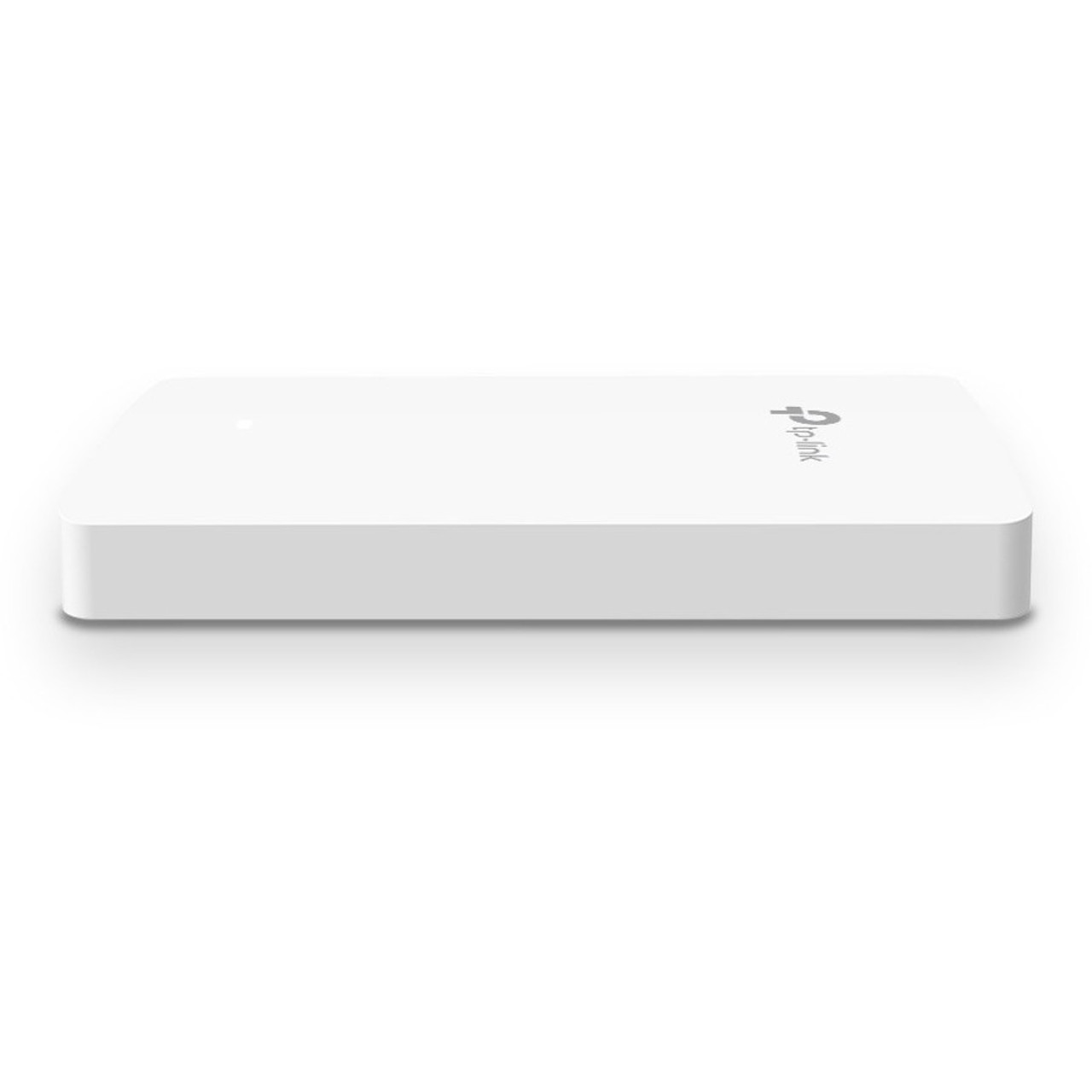





TP-LINK EAP615-Wall Omada Wi-Fi 6 Dual-Band Wall-Mount Access Point - 1.76 Gbit/s - 4x Gigabit PoE Ports - 4 Internal Antennas

Business volume discounts
Technical guidance
Preparation & staging
QC · ON · AB · BC
Product Features
Technical Overview
This access point operates on dual-band frequencies (2.40 GHz and 5 GHz) with 4 spatial streams, leveraging 1024-QAM and Long OFDM Symbol technologies to maximize throughput. It supports advanced Wi-Fi 6 features like MU-MIMO and beamforming, which optimize signal direction and multi-user performance.
Connectivity is handled by 4 Gigabit Ethernet ports, including one uplink port that supports 802.3af/at Power over Ethernet for both receiving power and providing PoE pass-through to a downstream device. This simplifies deployment by reducing cable clutter and enabling flexible placement without nearby power outlets.
Relevant factors for this section include Wireless LAN Standard, Network Band, Frequency Band, Ethernet Technology. When those points are considered together, they give buyers a clearer picture of how the product is equipped, how it fits into deployment, and what kind of day-to-day role it is meant to support.
Key Product Advantages
High-Speed Wi-Fi 6 Performance
Delivers up to 1.76 Gbit/s aggregate speed with 802.11ax efficiency, reducing latency and increasing capacity for bandwidth-intensive tasks like video conferencing and file transfers.
- 4 spatial streams for multi-user throughput
- 1024-QAM and Long OFDM Symbol support
- Dual-band operation with beamforming
Integrated PoE Flexibility
The uplink port accepts standard 802.3af/at PoE, while one downlink port offers PoE pass-through to power another device like a VoIP phone or security camera.
- Eliminates need for local power adapter
- Simplifies cable management
- Enables daisy-chaining of powered devices
Omada SDN Management
Seamlessly integrates into the Omada ecosystem for centralized control, allowing network administrators to manage multiple sites from a single interface via hardware, software, or cloud controllers.
- Unified management of access points, switches, and gateways
- Remote cloud access via Omada app
- Standalone mode also supported
Deployment / Use Cases
The EAP615-Wall is ideal for environments requiring discrete, high-performance wireless coverage with minimal footprint. Its wall-plate design allows for direct replacement of existing Ethernet wall plates, making it a clean upgrade for structured cabling installations.
In office settings, it can be deployed in individual cubicles or meeting rooms to provide dedicated network segments, improving security and reducing interference. For hospitality, it enables guest room Wi-Fi networks that are isolated from back-end operations, enhancing both performance and privacy.
Relevant factors for this section include Wireless LAN Standard, Network Band, Frequency Band, Ethernet Technology. When those points are considered together, they give buyers a clearer picture of how the product is equipped, how it fits into deployment, and what kind of day-to-day role it is meant to support.
Physical Profile
The access point features a compact wall-plate form factor measuring 5.63" wide by 3.39" deep by 0.79" high (143 mm x 86 mm x 20 mm). Its low-profile design and internal antennas allow for unobtrusive mounting on drywall or other surfaces using included mounting kits.
The unit is designed for indoor use only and complies with RoHS environmental standards. Its all-in-one construction includes integrated antennas, eliminating external protrusions for a sleek appearance.
- Width
- 5.63" (143 mm)
- Depth
- 3.39" (86 mm)
- Height
- 0.79" (20 mm)
What's in the Box
The package includes all necessary components for immediate deployment and setup.
Package contents include Omada EAP615-Wall Wireless Access Point Installation Guide Mounting Kits, Omada EAP615-Wall Wireless Access Point. These included items support setup, installation, and immediate deployment without needing to source the core bundled accessories separately.
Highlights
- Wi-Fi 6 (802.11ax) dual-band access point with speeds up to 1.76 Gbit/s
- Wall-mount form factor for discrete installation in offices and hotels
- 4 internal antennas with MIMO and beamforming technology
- 4 Gigabit Ethernet ports with 802.3af/at PoE support on uplink
- PoE pass-through on one downlink port to power connected devices
- Integrated into Omada SDN for centralized cloud or local management
- Dedicated Wi-Fi network per room for enhanced privacy and segmentation
- Compact dimensions: 5.63" x 3.39" x 0.79" (143 mm x 86 mm x 20 mm)
- 5-year limited warranty for long-term reliability
- RoHS compliant and environmentally friendly construction
Specifications
| Specifications | |
|---|---|
| Manufacturer | TP-LINK Technologies Co., Ltd |
| Manufacturer Part Number | EAP615-Wall |
| Brand Name | TP-Link |
| Product Line | Omada |
| Product Series | EAP |
| Product Model | EAP615-Wall |
| Product Name | Omada EAP615-Wall Wireless Access Point |
| Product Type | Wireless Access Point |
| Technical Information | |
| Wireless LAN Standard | 802.11ax |
| Network Band | Dual Band |
| Frequency Band | 2.40 GHz,5 GHz |
| Total Number of Antennas | 4 |
| Number of Internal Antennas | 4 |
| Indoor/Outdoor | Indoor |
| Wireless Transmission Speed | 1.76 Gbit/s |
| MIMO Technology | Yes |
| Beamforming Technology | Yes |
| Data Encryption | Yes |
| Encryption Standard | WPA2-ENT,WPA3-ENT,WPA3-Personal,WPA-PSK,WPA2-PSK,WPA-ENT |
| Interfaces/Ports | |
| Ethernet Technology | Gigabit Ethernet |
| Number of Network (RJ-45) Ports | 4 |
| PoE (RJ-45) Port | Yes |
| PoE PD Port | Yes |
| Power Description | |
| Power Consumption | 10 W |
| Physical Characteristics | |
| Form Factor | Wall Mountable,Wall Plate |
| Antenna Form Factor | Internal |
| Height | 0.79" (20 mm) |
| Width | 5.63" (143 mm) |
| Depth | 3.39" (86 mm) |
| Miscellaneous | |
| Package Contents | Omada EAP615-Wall Wireless Access Point Installation Guide Mounting Kits |
| Environmentally Friendly | Yes |
| Environmental Compliance | Restriction of Hazardous Substances (RoHS) |
| Country of Origin | China |
| Warranty | |
| Limited Warranty | 5 Year |
User Manual
FAQ
What Wi-Fi standard does the EAP615-Wall support?
The EAP615-Wall supports the 802.11ax standard, also known as Wi-Fi 6. This latest generation wireless technology provides higher data rates, increased capacity, and improved efficiency in congested environments compared to previous standards like 802.11ac.
How many Ethernet ports does this access point have and what are their functions?
This access point has 4 Gigabit Ethernet RJ-45 ports. One port serves as an uplink that supports 802.3af/at Power over Ethernet for both data and power input. The remaining three are downlink ports, with one of them offering PoE pass-through capability to power another connected device such as a VoIP phone or security camera.
Can this access point be managed centrally with other TP-Link Omada devices?
Yes, the EAP615-Wall is fully compatible with the Omada Software Defined Networking platform. It can be managed alongside other Omada access points, switches, and gateways through a unified interface. Management options include a hardware controller, software controller, or cloud-based controller for remote access from anywhere.
What is the maximum wireless speed of the EAP615-Wall?
The EAP615-Wall delivers a maximum aggregate wireless transmission speed of 1.76 Gbit/s across its dual-band frequencies. This performance is achieved through Wi-Fi 6 technologies like 1024-QAM and 4 spatial streams, which enhance throughput for multiple connected devices simultaneously.
Is this access point suitable for outdoor installation?
No, the EAP615-Wall is designed for indoor use only. Its form factor and construction are optimized for controlled indoor environments such as offices, hotels, and educational facilities. For outdoor deployments, you would need a specifically rated outdoor access point from TP-Link's product lineup.
What is included in the package with the EAP615-Wall?
The package contains the Omada EAP615-Wall wireless access point unit itself, a comprehensive installation guide with setup instructions, and all necessary mounting kits for secure wall-plate installation. These components ensure you have everything required for a complete deployment out of the box.
| Qty | Price | Available |
|---|


