Shipping included*
Exclusions
Additional shipping fees may apply in rare circumstances for deliveries outside standard service areas. In most cases, this only potentially affects shipments to the Northwest Territories and Yukon, as well as certain heavy or oversized items.
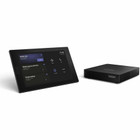
Lenovo 12WA000AUS ThinkSmart Core Gen 2 Video Conference Equipment - WXGA 1280 x 800 Live Video - Multi-touch Screen - Gigabit Ethernet - Windows 11

Business volume discounts
Technical guidance
Preparation & staging
QC · ON · AB · BC
Product Features
Technical Overview
This video conference equipment delivers robust technical specifications tailored for business collaboration. The live video capability supports WXGA graphics at 1280x800 resolution, ensuring sharp image quality for both content sharing and video feeds. The integrated multi-touch screen allows for intuitive control and interaction directly on the device, enhancing user engagement during meetings.
Connectivity is a strong suit, with Gigabit Ethernet (100/1000Base-T) providing high-bandwidth data transfer for smooth video streaming and low latency. Wireless LAN support adds flexibility for network deployment. The port selection includes one HDMI input, two HDMI outputs, and three USB 3.2 Gen 1 Type-A ports, facilitating connections to displays, peripherals, and presentation tools without the need for additional adapters.
Relevant factors for this section include Features, Graphics Modes (Live), Maximum Video Resolution (Live). When those points are considered together, they give buyers a clearer picture of how the product is equipped, how it fits into deployment, and what kind of day-to-day role it is meant to support.
Key Product Advantages
The ThinkSmart Core Gen 2 stands out with its integrated design and platform-specific optimizations, reducing setup complexity and enhancing meeting productivity.
These strengths make the product easier to deploy and manage in real environments, especially where reliability, usability, and day-to-day operational continuity matter. Notable benefits include Optimized for Microsoft Teams, Enhanced Connectivity Suite.
Optimized for Microsoft Teams
Pre-configured for Microsoft Teams, this equipment ensures full compatibility and a streamlined user experience for Teams meetings, including one-touch join and meeting controls.
- Seamless integration with Teams features
- Reduces IT configuration time
Enhanced Connectivity Suite
With multiple HDMI and USB ports, plus Gigabit Ethernet and wireless LAN, it supports diverse peripherals and network setups, making it adaptable to various room configurations.
- Flexible display options with dual HDMI outputs
- High-speed data transfer for reliable performance
Deployment / Use Cases
This video conference equipment is ideal for medium to large meeting rooms where reliable video communication and content sharing are essential. Its dedicated hardware and Microsoft Teams optimization make it a turnkey solution for organizations standardizing on Teams for daily collaboration.
Common deployment scenarios include conference rooms in corporate offices, training centers, and educational institutions. The multi-touch screen and cable management features support interactive presentations and tidy installations, reducing clutter and improving the overall meeting environment. It can also serve in huddle spaces for smaller team meetings, leveraging its compact design and wireless capabilities for quick setup.
Corporate Meeting Rooms
Deploy in formal meeting settings for all-hands meetings, client presentations, and remote collaboration, ensuring high-quality video and audio with minimal technical overhead.
Training and Education
Use in classrooms or training facilities to facilitate virtual lectures and interactive sessions, with the multi-touch screen enabling direct engagement from instructors or participants.
Highlights
- WXGA 1280x800 live video resolution for clear meeting visuals
- Multi-touch screen for intuitive control and interaction
- Gigabit Ethernet and wireless LAN for high-speed connectivity
- Optimized for Microsoft Teams with Windows 11 IoT Enterprise GAC
- Includes 1 HDMI input and 2 HDMI outputs for flexible display setups
- Three USB 3.2 Gen 1 Type-A ports for peripheral connections
- Integrated cable management for a tidy installation
- Black finish for a professional look in office environments
- 3-year limited warranty with software maintenance and premier support
Specifications
| Specifications | |
|---|---|
| Manufacturer | Lenovo Group Limited |
| Manufacturer Part Number | 12WA000AUS |
| Brand Name | Lenovo |
| Product Line | ThinkSmart Core Gen 2 |
| Product Model | 12WA000AUS |
| Product Name | ThinkSmart Core Gen 2 12WA000AUS Video Conference Equipment |
| Product Type | Video Conference Equipment |
| Technical Information | |
| Features | Multi-touch Screen,Cable Management |
| Video | |
| Graphics Modes (Live) | WXGA |
| Maximum Video Resolution (Live) | 1280 x 800 |
| Network & Communication | |
| Network Technology | 100/1000Base-T |
| Ethernet Technology | Gigabit Ethernet |
| Wireless Specifications | |
| Wireless LAN | Yes |
| Interfaces/Ports | |
| HDMI In | Yes |
| HDMI Out | Yes |
| Network (RJ-45) | Yes |
| USB | Yes |
| Number of Network (RJ-45) Ports | 1 |
| Number of HDMI Inputs | 1 |
| Number of HDMI Outputs | 2 |
| Number of USB 3.2 Gen 1 Type-A Ports | 3 |
| Operating System | |
| Operating System Supported | Windows 11 IoT Enterprise GAC |
| Physical Characteristics | |
| Product Color | Black |
| Miscellaneous | |
| Application/Usage | Video Conferencing |
| Unified Communications Platform | Microsoft Teams |
| Warranty | |
| Limited Warranty | 3 Year |
| Additional Warranty Information | 3Y Software Maintenance for Smart Office Solution, 3Y Premier Support Upgrade from 3Y Onsite |
User Manual
FAQ
What is the maximum video resolution supported by this equipment?
The Lenovo ThinkSmart Core Gen 2 supports a maximum live video resolution of 1280 x 800 in WXGA graphics mode. This resolution provides sharp and clear visuals for video conferencing, making it suitable for displaying presentations and participant video feeds in meeting rooms.
Does this video conference equipment support wireless connectivity?
Yes, it includes Wireless LAN support, allowing for flexible network deployment without relying solely on wired connections. This feature enables easier setup in spaces where Ethernet ports may be limited or for temporary meeting arrangements.
How many HDMI ports are available on this device?
This equipment has one HDMI input and two HDMI outputs. The dual HDMI outputs allow you to connect multiple displays simultaneously, such as a primary screen and a secondary monitor, which is useful for extended desktop setups or mirroring content in larger rooms.
What operating system does this video conference equipment use?
It runs on Windows 11 IoT Enterprise GAC, a specialized version of Windows designed for embedded devices. This operating system is optimized for the Microsoft Teams platform, ensuring stable performance and seamless integration with Teams features for video meetings.
Is this equipment compatible with Microsoft Teams?
Yes, it is pre-configured and optimized for Microsoft Teams as its unified communications platform. This means it offers native support for Teams meetings, including one-touch join, meeting controls, and full compatibility with Teams' collaboration tools, reducing setup time for IT departments.
What warranty coverage is included with this product?
The product comes with a 3-year limited warranty. Additionally, it includes 3-year software maintenance for the Smart Office Solution and a 3-year Premier Support upgrade from the standard onsite support, providing comprehensive coverage for both hardware and software aspects to ensure long-term reliability.
| Qty | Price | Available |
|---|